When you compare scheduling apps side by side, they start to blur together. Collect availability, build the schedule, look at a calendar. More or less the same story everywhere.
But there's one hard-to-see difference that really matters when you're choosing a product: where your customer and staff data actually lives.
Shiftaru, a shift and booking auto-matching app, takes the opposite approach from most cloud-based services on exactly this point.
🎉 Now live
Shiftaru is officially live. The free practice mode (sample data) needs no signup.
👉 https://shiftaru.com
Most scheduling apps hold onto your data
A typical cloud service trades convenience for storing your data on the vendor's servers:
- Your customers' names, contact info, and addresses (visit locations, shoot venues)
- Your staff's names, availability, and certifications
- Your past schedules and booking history
All of it accumulates on the vendor's side. Sync and sharing get easier — but in exchange, if that vendor ever has a breach, your customer information leaks right along with it. Even when you did nothing wrong.
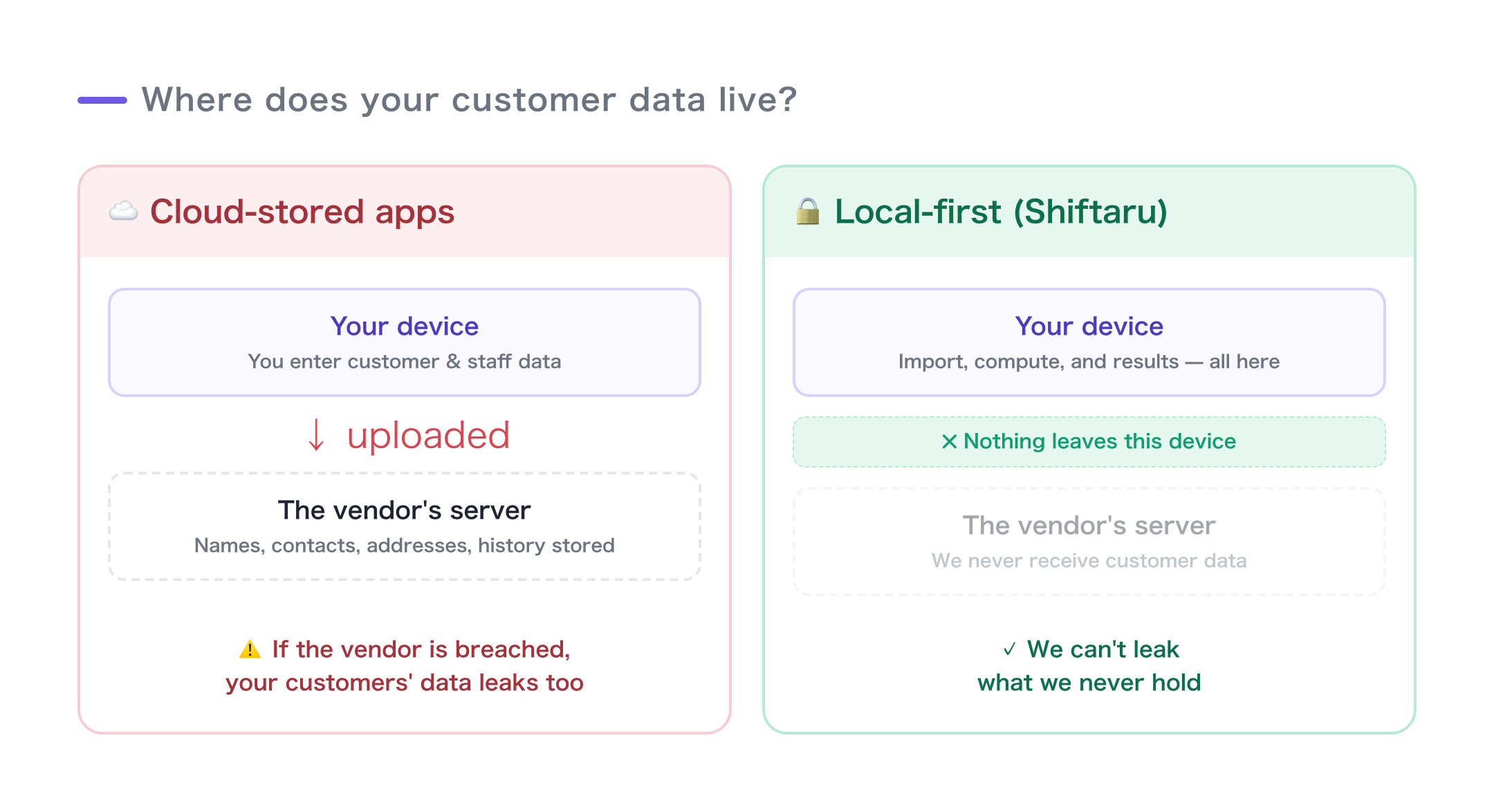
Shiftaru never takes it in the first place
Shiftaru processes the data you load entirely inside your own browser.
- The matching runs on your device
- Your customer and staff data is never sent to our servers
- The finished schedule stays with you as a file (CSV) that you control
- Close the tab, and the working data on your device is gone
In other words, we don't hold the source data that could leak.
Not "we protect it carefully," but "there's nothing to protect because we never receive it." We think that's the strongest defense there is. (For the technical side, see the local-first deep dive.)
The quiet but real upside of not holding your data
This sounds like a security topic, but it pays off in day-to-day operations too.
- Easier to explain: You can tell customers, flat out, "your information is never sent anywhere." That matters most in fields that handle sensitive information — home care, photography, tutoring
- You're not exposed to vendor risk: If the service has an outage, a leak, or shuts down out of nowhere, your data was in your hands from the start
- No accounts to manage: You can start with no signup, and you're not adding one more party you have to trust with your data
The honest downsides of not holding your data
Let's be fair — this design has trade-offs.
- It won't auto-sync across multiple devices (the data lives on your device). To share it, you carry it over as a CSV or backup file
- No history builds up on a server, so you save your confirmed schedules yourself as CSV (they download automatically when you confirm)
If "the same data from anywhere, all the time" is your top priority, a cloud-storage app may fit better in some cases.
But if you're handling people's personal information and don't want to hand it to yet another party, the local-first design just makes sense.
Which one is right for you
| Cloud-storage apps | Shiftaru (local-first) | |
|---|---|---|
| Where customer data lives | The vendor's servers | Only inside your device |
| Exposure to a vendor breach | Possible | None — we never receive it |
| Auto-sync across devices | ◎ A strong suit | △ Carry it over as a file |
| Signup / account | Required | Start with no signup |
| Explaining it for sensitive info | "Carefully managed" | "Never sent anywhere in the first place" |
Wrap-up
- The hard-to-see difference between scheduling apps is where customer data lives
- Cloud storage is convenient, but it can drag you into the vendor's breach
- Shiftaru never takes your data in the first place (runs in your browser, sends nothing)
- It gives up some sync convenience, but it's a sensible design for fields that handle sensitive information
When features leave you undecided, make the final call on this: "Where do I want this data to live?"
- ▶ https://shiftaru.com — free practice mode, no signup
- ▶ Read more: Shiftaru Blog