Shiftaru lets you try the entire algorithm for free in practice mode, and only asks you to buy a license when you go into real operation.
This guide covers purchase → activation → unlocked features, with real screenshots.
🎉 Now live
Shiftaru is officially live. The free practice mode (sample data) needs no signup.
👉 https://shiftaru.com
Trial vs. license (a quick recap)
In the trial, whenever you try something that would "take data out", you get this prompt.
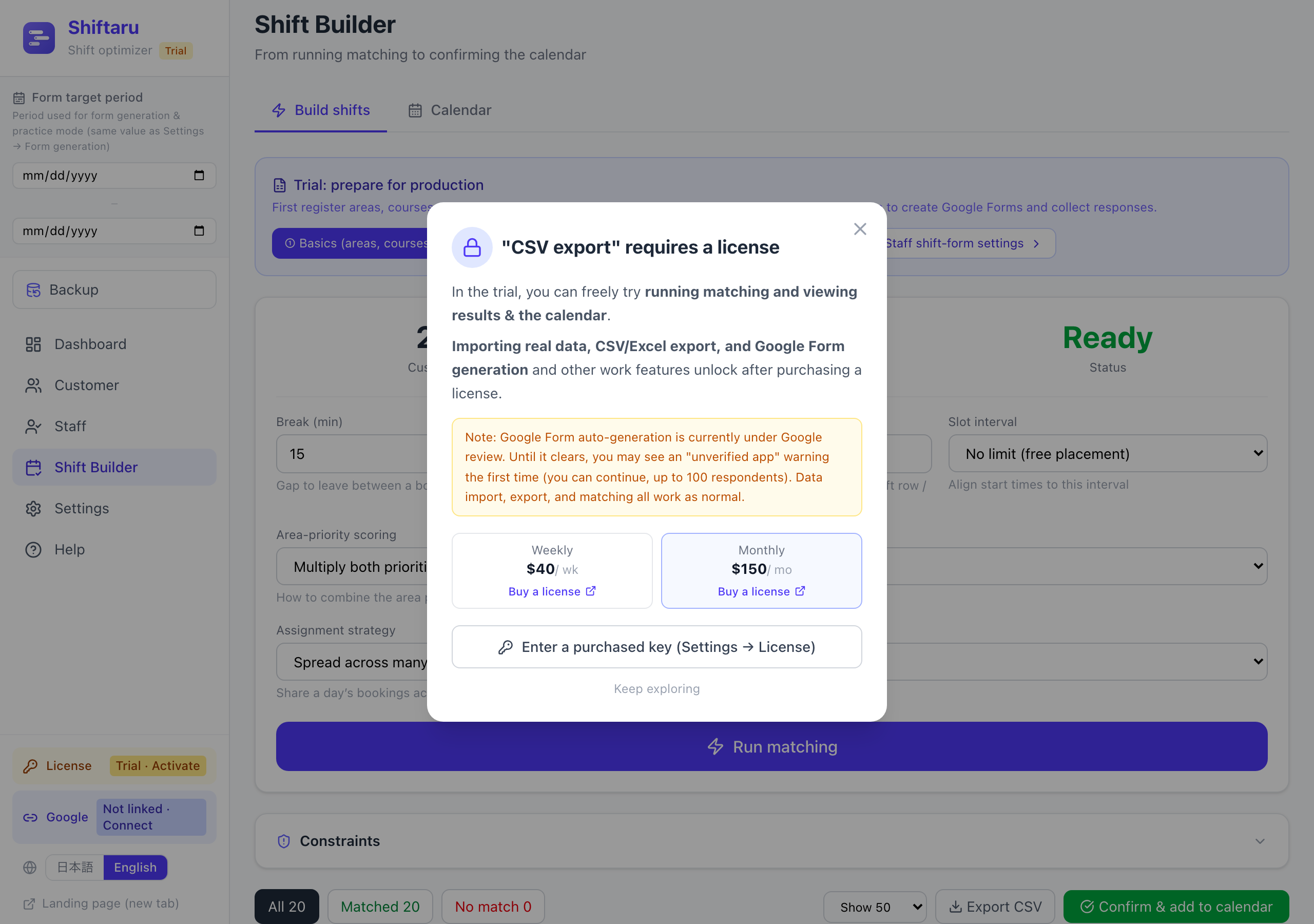
A license unlocks three things:
- Importing real data (sheet URL, Excel/CSV, manual entry)
- CSV / Excel export (taking your finished shift table out)
- Google Form auto-generation (the forms guide)
Running matching, viewing results, and the calendar all stay free.
1. Buy from the pricing plans
Open Settings → the "License" tab to see the pricing. Press ① "Buy a license" and the checkout page opens.
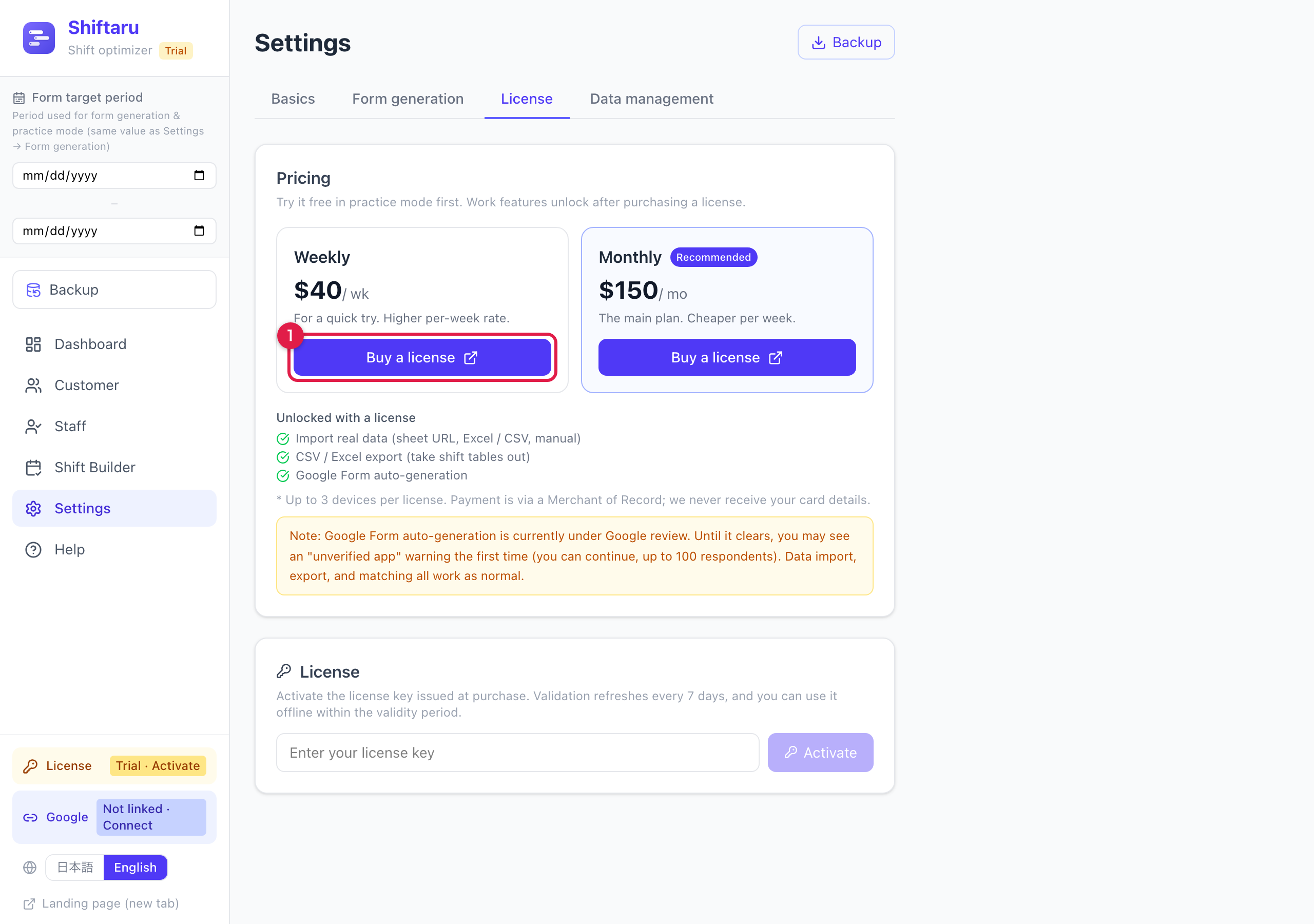
- Weekly plan — $40 / week — the way in if you want a short trial run first
- Monthly plan — $150 / month — the workhorse for ongoing operation (cheaper per week; recommended)
💳 Payment goes through a Merchant of Record (Polar Software, Inc.). Your card details never reach us.
2. Pay on the checkout page
On the Polar checkout page, enter your email and card details and press "Subscribe now".
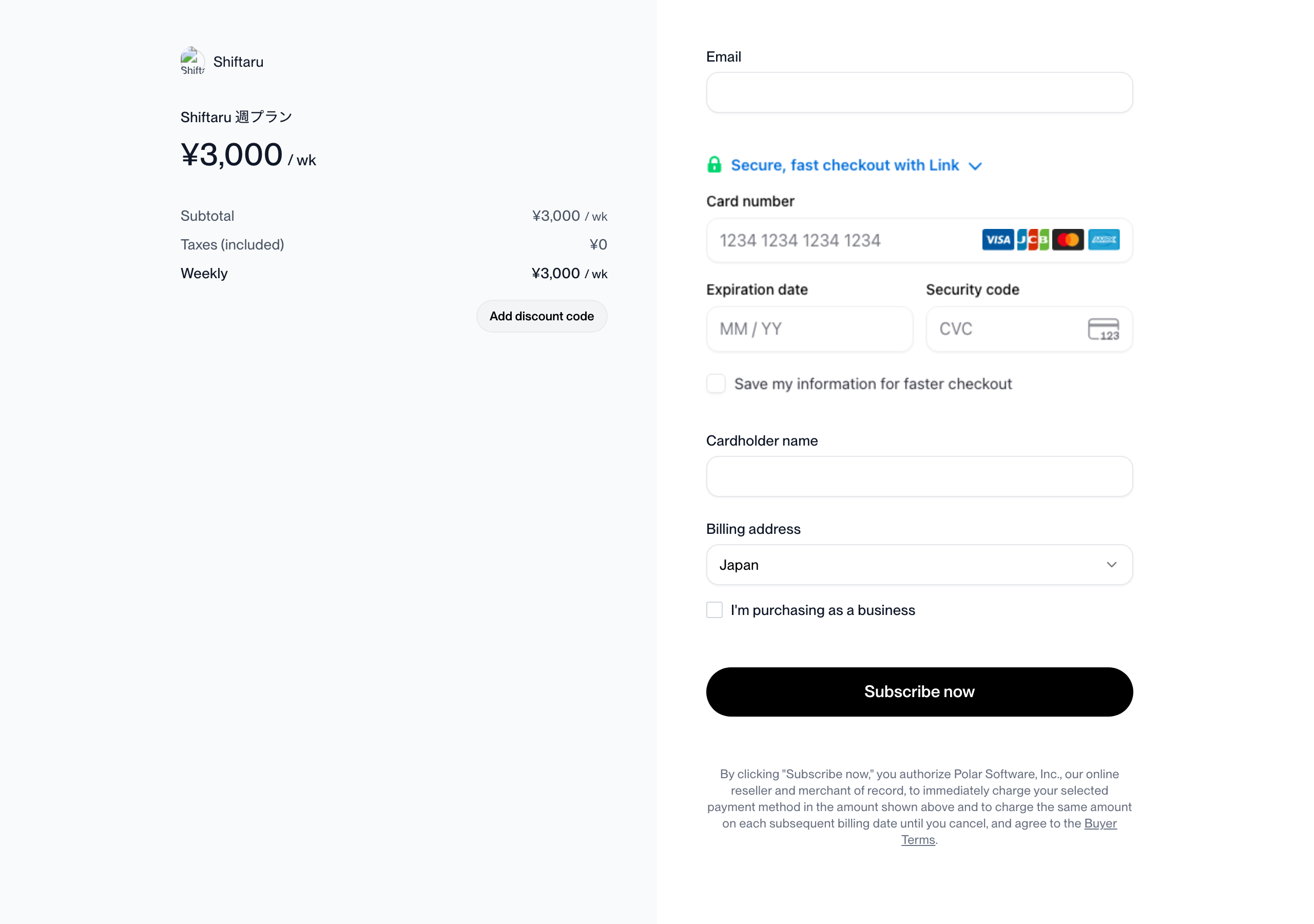
Once payment completes, a purchase confirmation is sent to the email address you entered, and from there you can find your license key (a string starting with SHIFTARU-…).
3. Activate your license key
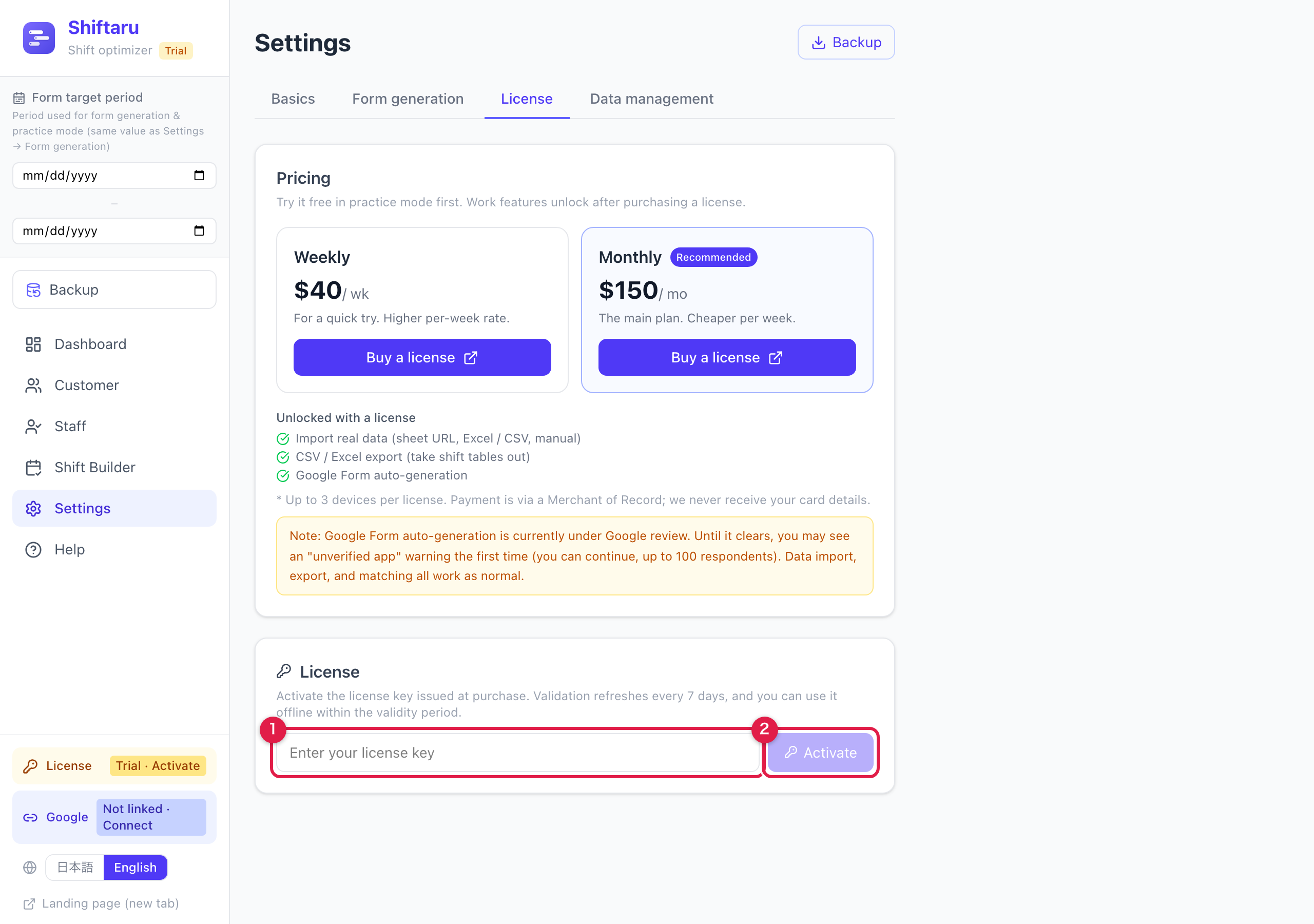
Back in Shiftaru, go to Settings → the "License" tab and scroll to the "License" section at the bottom.
Paste your key into ① and press ② "Activate".
4. Confirm it's active
On success you'll see an "Active" badge with the key's last characters and the last-validated date. The "License" chip in the sidebar also flips to "Active".
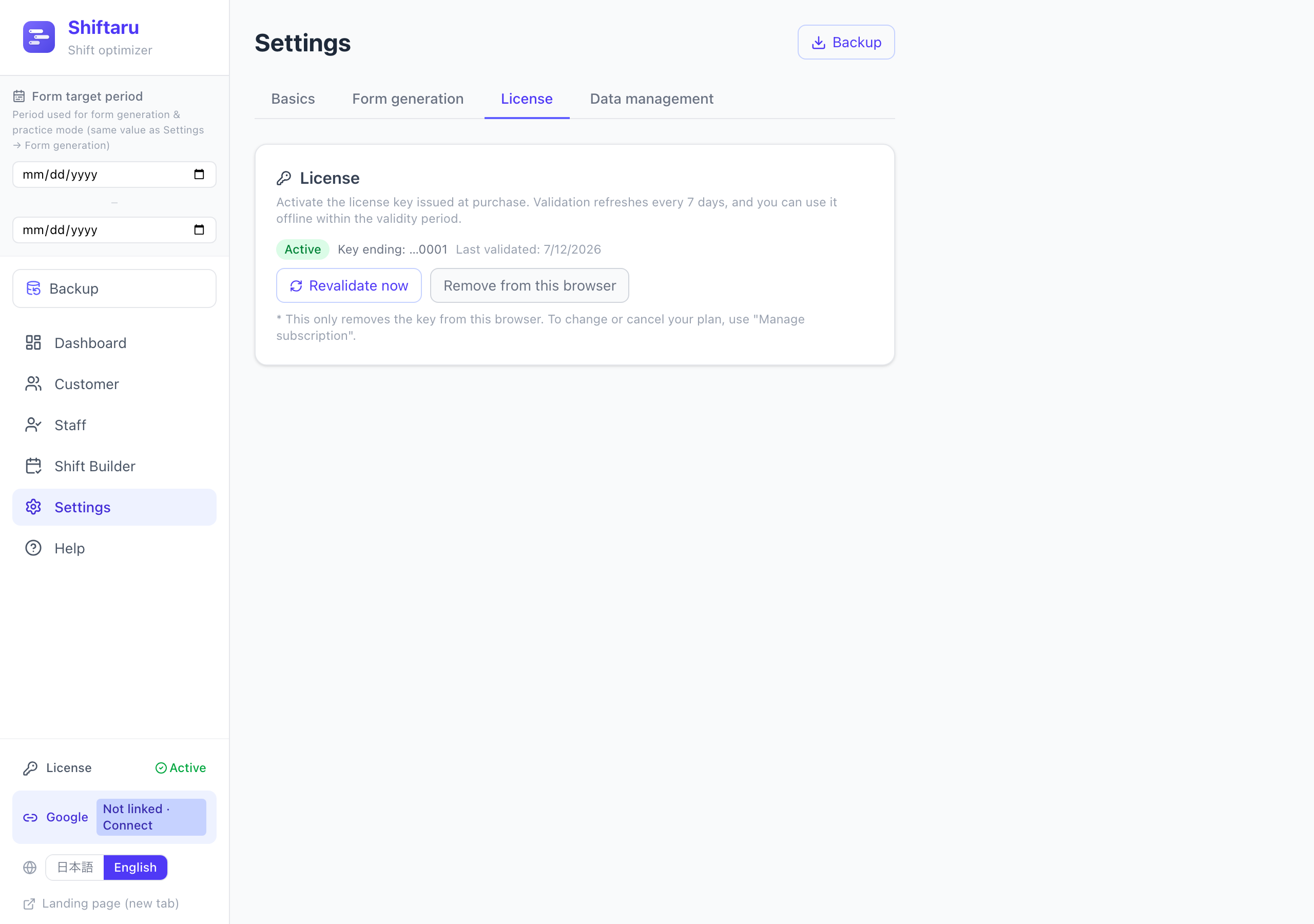
From this moment on, importing real data, CSV export, and form generation are all available.
Good to know
- One license activates on up to 3 devices (your work PC and your home PC, for example)
- Validation refreshes automatically every 7 days, and you can keep working offline within that window
- "Remove from this browser" only detaches the key from that device. To change or cancel your plan, use "Manage subscription" (log in with your purchase email) — you can cancel at any time
- If you lose your key, check your purchase email from Polar
- Switching devices? Just activate the same key on the new one (your settings travel with you via the "Backup" feature)
Summary
- Settings → License, pick a plan and buy ($40/week or $150/month)
- Find your license key in the confirmation email
- Paste it into the key field in the app and press "Activate"
- Once it shows "Active", real-data import, CSV export and form generation are unlocked
Try it in practice mode first, and when you're convinced it works, it's one key. That's all.
- ▶ https://shiftaru.com — free practice mode, no signup
- ▶ Read more: Shiftaru Blog