When you first open Shiftaru you pick an industry preset, and the wording, the settings, and the matching conditions all switch to fit that industry.
This guide is the key setting for each of the four industries — what you actually need to configure — with screenshots.
(For the overall flow, start with the free trial guide. Settings live in Settings → the "Basics" tab, and you can change the preset at any time.)
🎉 Now live
Shiftaru is officially live. The free practice mode (sample data) needs no signup.
👉 https://shiftaru.com
On-site Photography & Salon
The key: areas (in priority order) and courses (with durations).
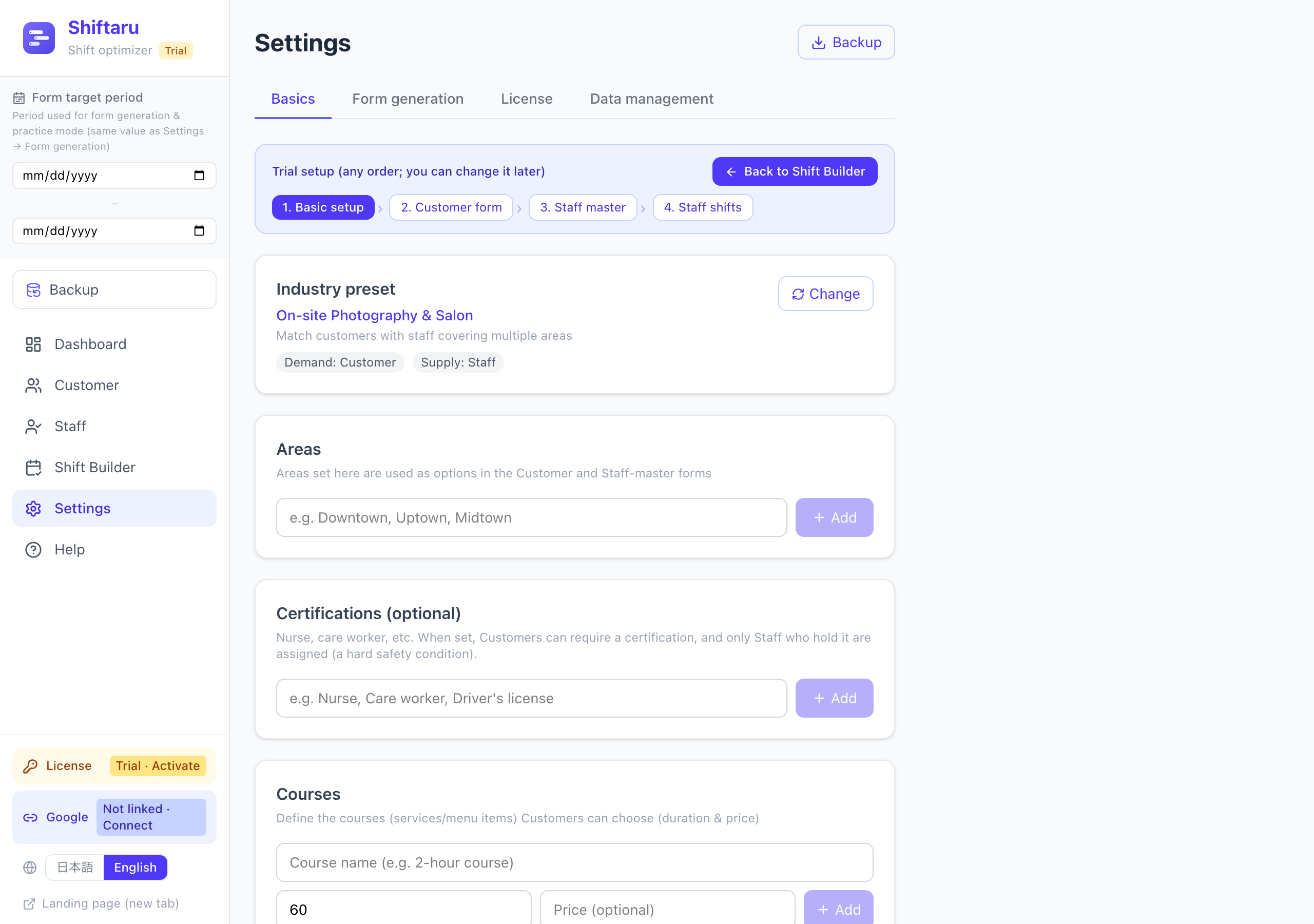
- Areas — register the areas you cover. Customers can name a 1st/2nd/3rd priority area, and photographers can rank their covered areas too. Matching combines both sides' priorities to pick the best pairing.
- Courses — register them with a duration, e.g. "Family shoot (90 min)". Bookings use that duration and are placed exactly at the requested time.
- Course options — add-ons like an extra album. They don't affect matching; they just ride along with the booking.
Tutoring & Lessons
The key: subject (exact match) and target level (a hard condition).
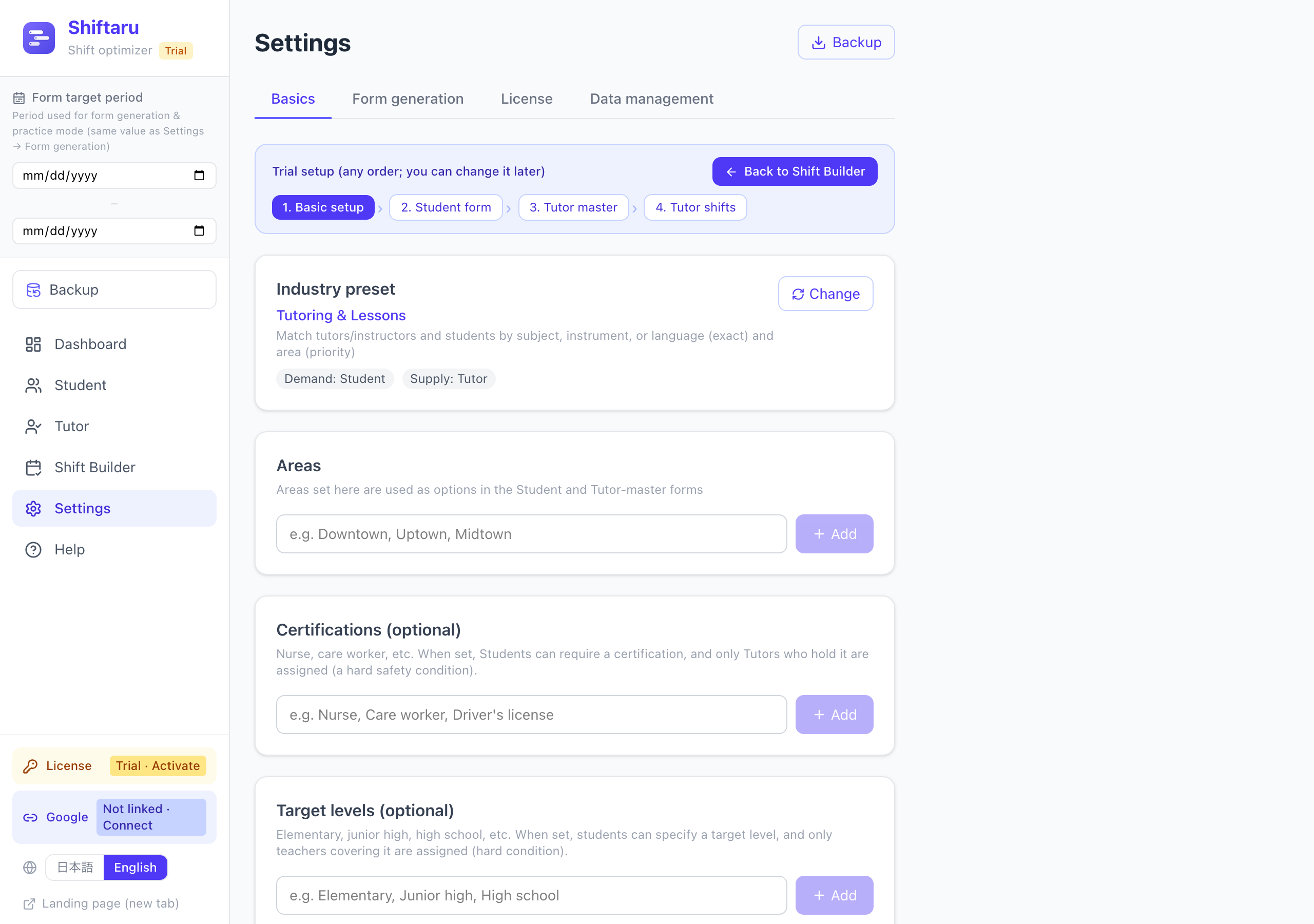
- Courses double as subjects / instruments / languages (math, piano, conversational English…). A student's requested subject and a tutor's covered subject must be an exact match.
- Target levels (optional) — register elementary, junior high, high school, etc. Students can then specify a target level, and only tutors who cover it are assigned (a hard condition that is never broken).
- The wording switches to Student × Tutor. Results look like this:
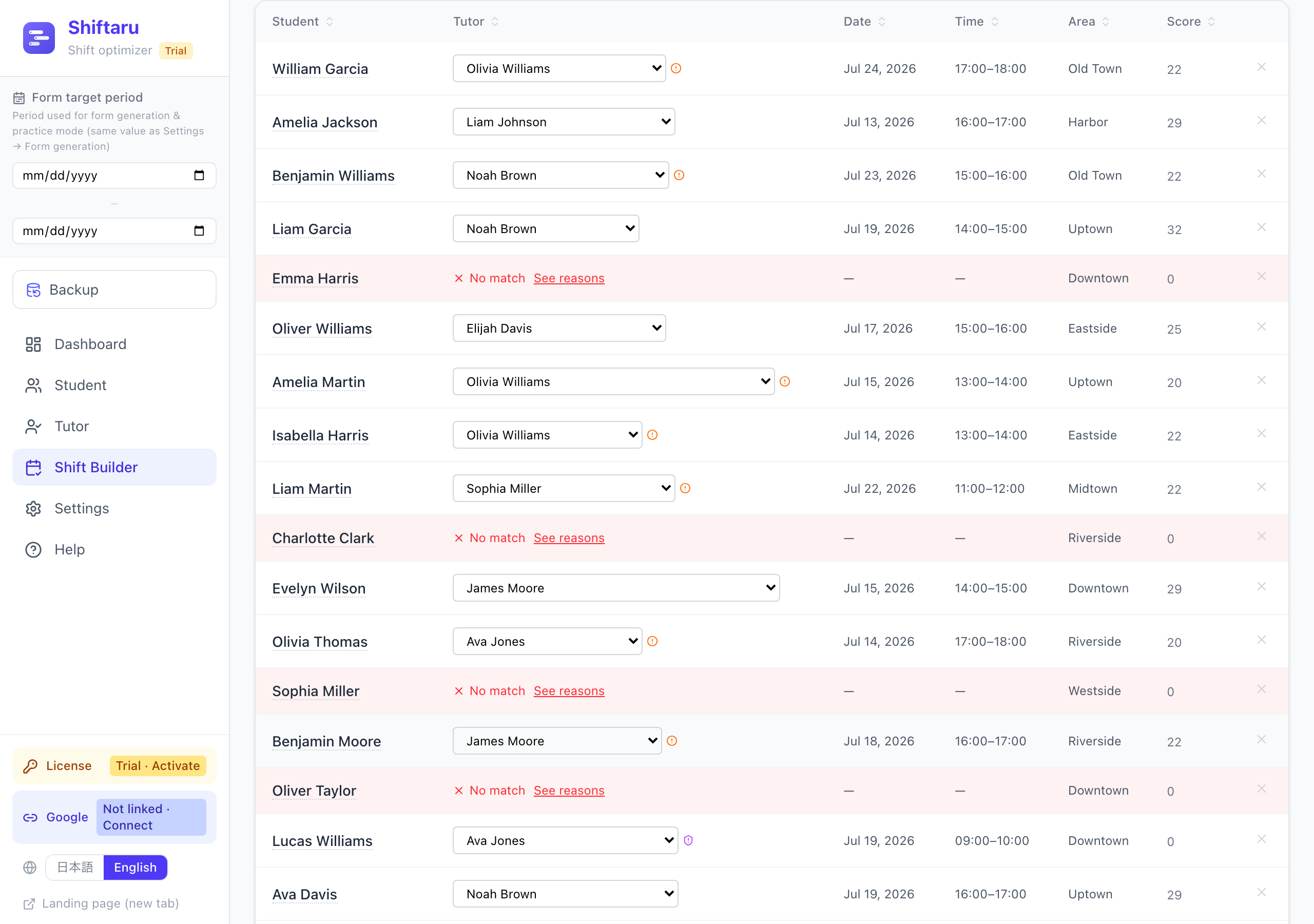
For students who couldn't be matched, "See reasons" shows why (subject mismatch, level not covered, no shift on the day…).
Home & Visit Services (nursing, care, house cleaning)
The key: areas and certifications (a hard condition, for safety).
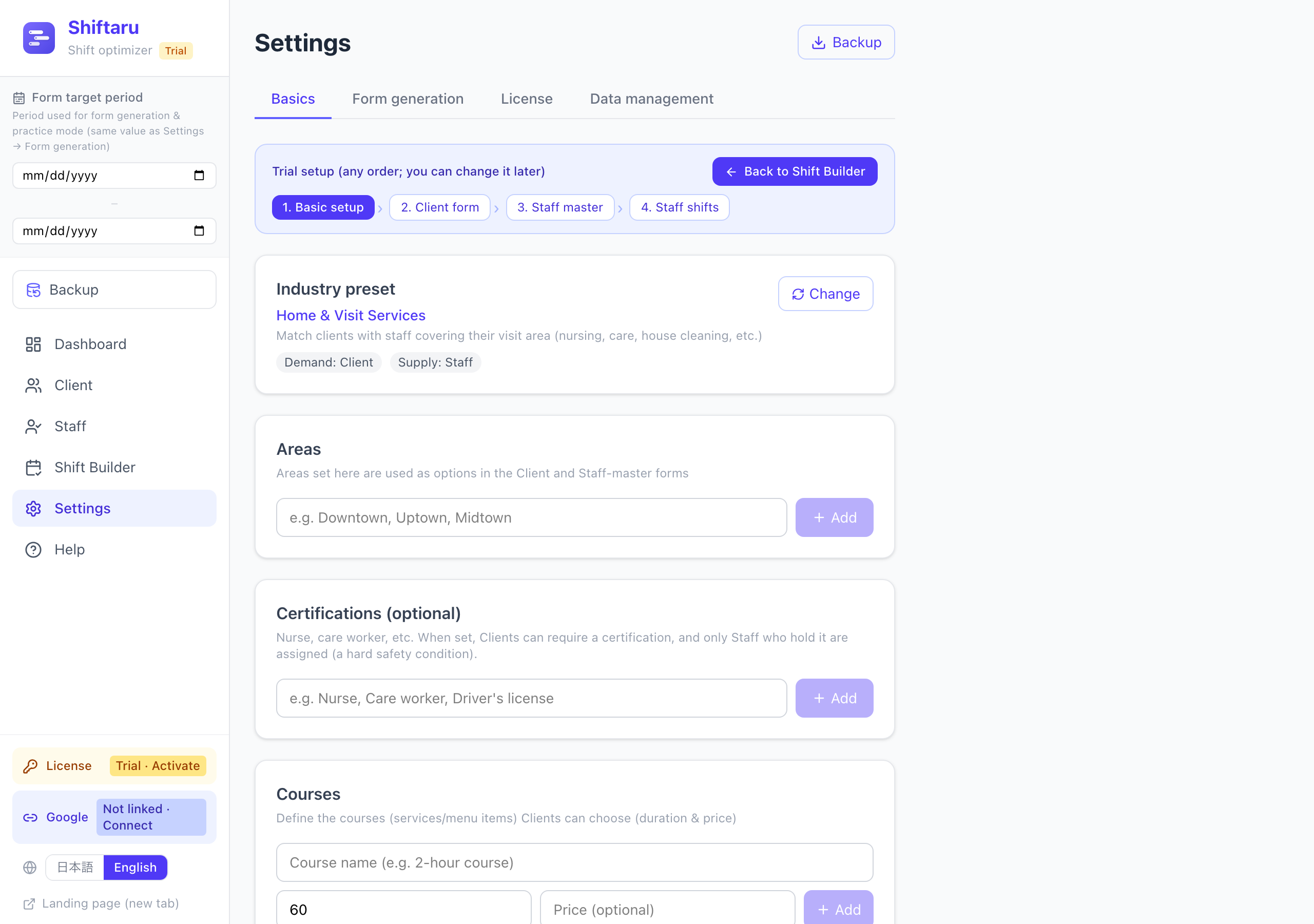
- Areas — register your visit areas. Staff who cover the client's location are assigned first.
- Certifications (optional) — register nurse, care worker, and so on. Clients can then specify a required certification, and only staff holding it are assigned. Unlike area, this is a hard condition that is never broken.
- Multiple visits per day for a single staff member are placed automatically, keeping travel and break time free.
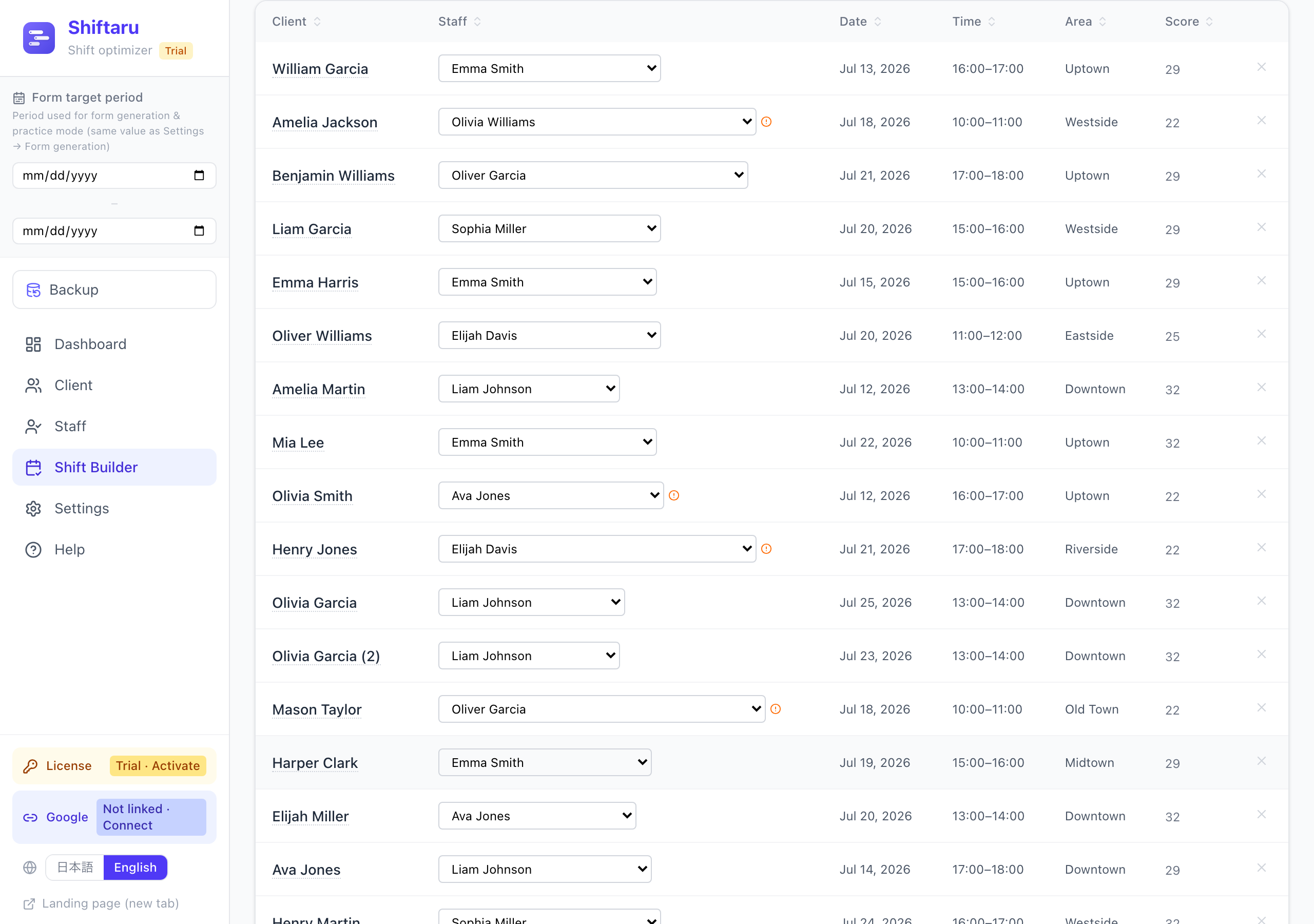
The wording is Client × Staff. For a deeper look at this industry, see the home-care shift article.
Multi-store (convenience stores, restaurants, etc.)
The key: open shifts (slots) × required headcount. This one runs in the opposite direction from the others.
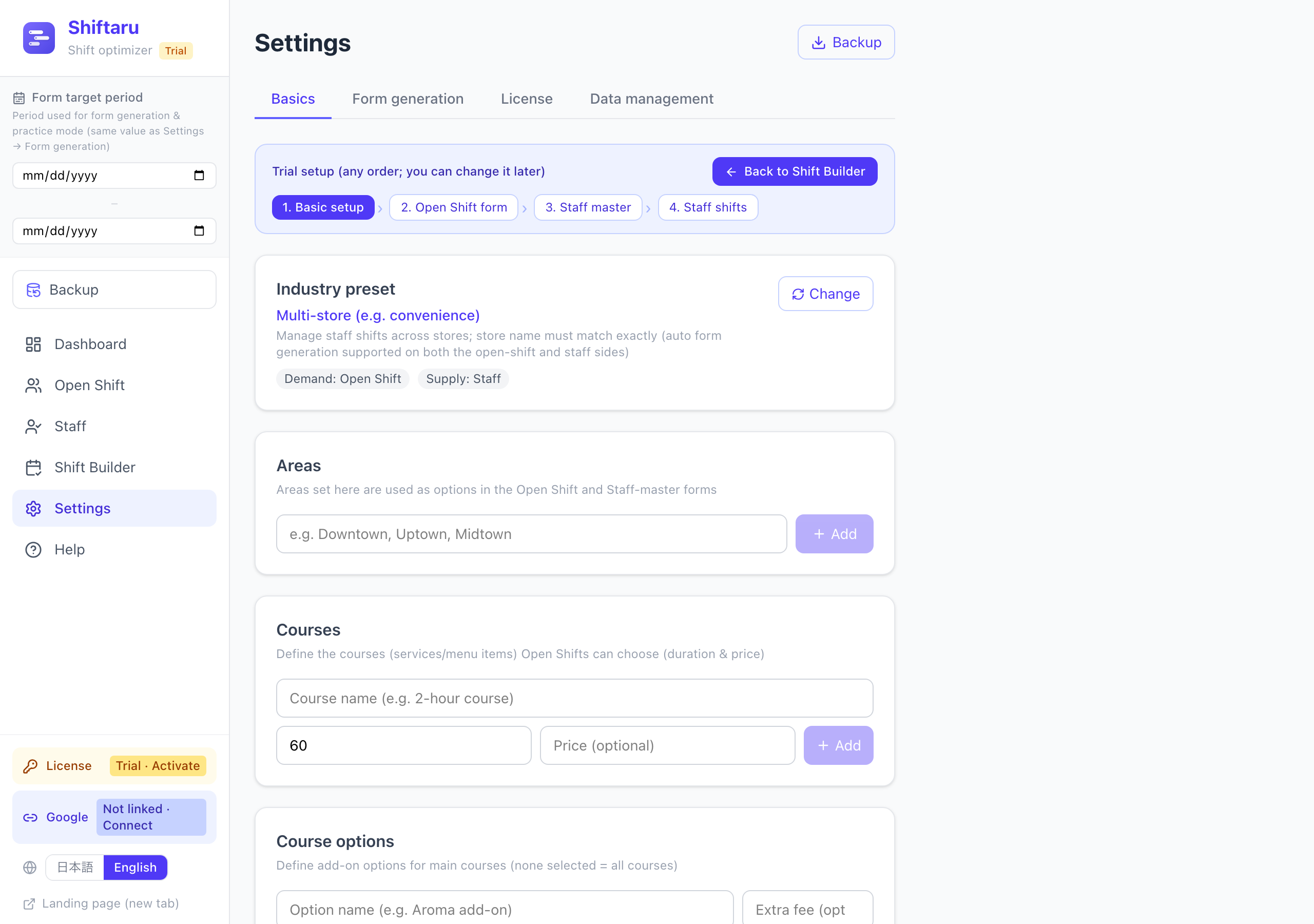
- The demand side isn't a "customer" but an Open Shift (this store, this time slot, this many people).
- Areas double as store names. The store name must be an exact match on both the open-shift side and the staff side.
- Open-shift data is imported with a required headcount column (supported via Excel/CSV, manual entry, and form generation):
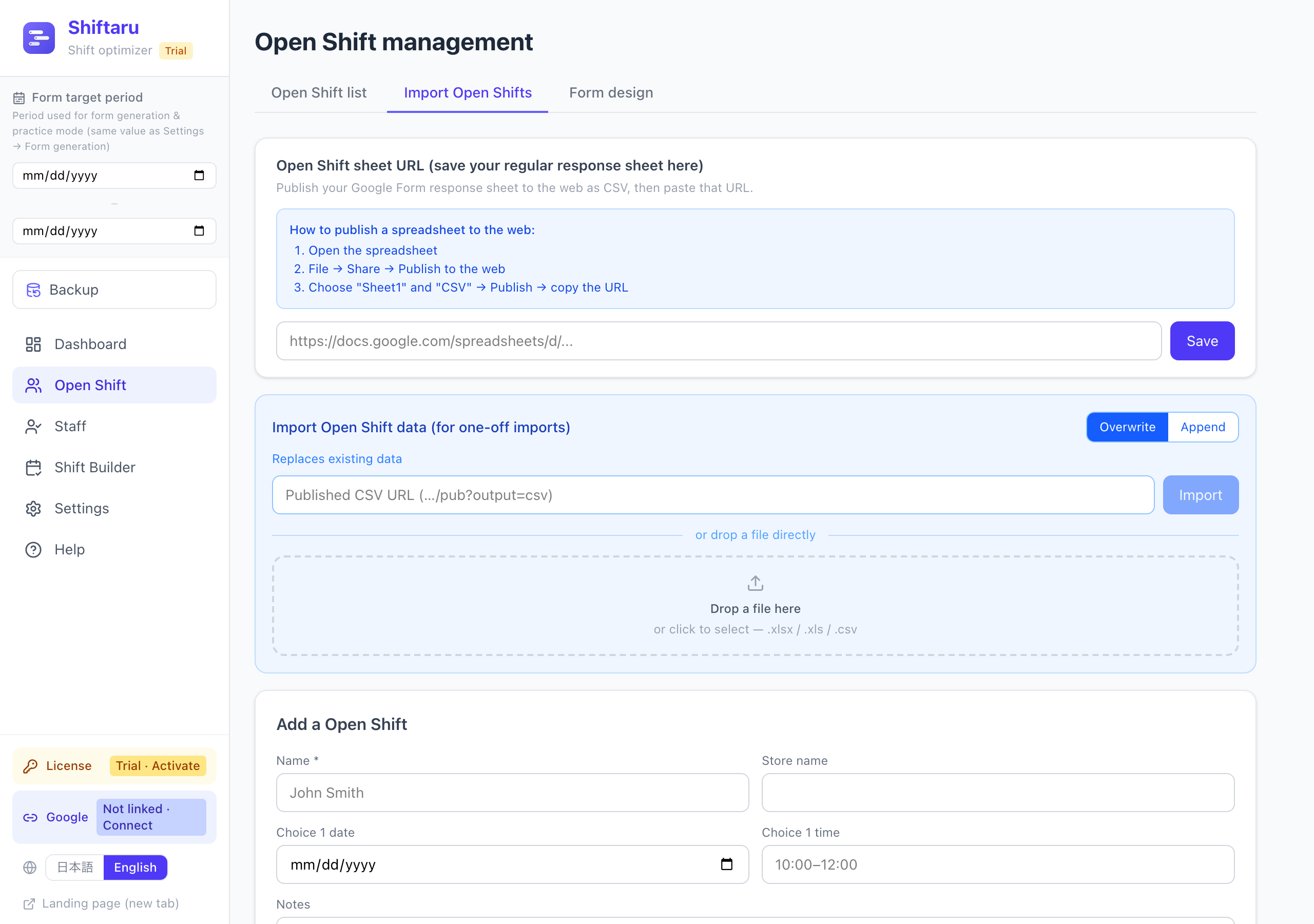
- Matching fills each slot with the required number of staff, and slots that fall short are shown as "2 of 3 — short 1" (more in the store shift & headcount article).
⚠️ The multi-store preset does not support practice mode (samples) yet. To explore it, download the sample Excel from the open-shift import tab and look at the structure, or try it with real data (license required).
Tips that apply to everyone
- You can change the preset later (Settings → Basics → Industry preset → "Change"). Your data stays.
- In every industry, the items you configure (areas, courses, certifications, levels) become the questions in your Google Forms (the forms guide).
- If you're unsure, run a full round in practice mode with your own numbers — that's the fastest way to see how a setting behaves.
Summary
| Industry | The key setting | Nature of the condition |
|---|---|---|
| On-site Photography & Salon | Area priority × course duration | Area = soft (priority) |
| Tutoring & Lessons | Subject × target level | Subject/level = hard |
| Home & Visit Services | Area × certification | Certification = hard (safety) |
| Multi-store | Store name × required headcount | Store name = hard (exact match) |
Hard means staff who don't satisfy it are never assigned. Soft means it's preferred when it fits, but staff can still be assigned if nobody else is available.
Multi-store is the one that runs in reverse: it starts from open slots and fills each one to its required headcount.
Get the key setting for your industry right, and the rest is: collect with a form, press one button.
- ▶ https://shiftaru.com — free practice mode, no signup
- ▶ Read more: Shiftaru Blog